Manufacturers
Kitchens
Models, colours and modules with their price band table by measurement, and their cutting list ready for cutting.
New Product configurator
A catalogue configurator for manufacturers and retailers of kitchens, furniture and wardrobes. Your salesperson, your customer or a guest adjusts the measurements on the tablet and instantly sees the total excluding VAT. On acceptance, the price is locked. ADRI or another AI connects via MCP to read the exact measurements and draw the plans.
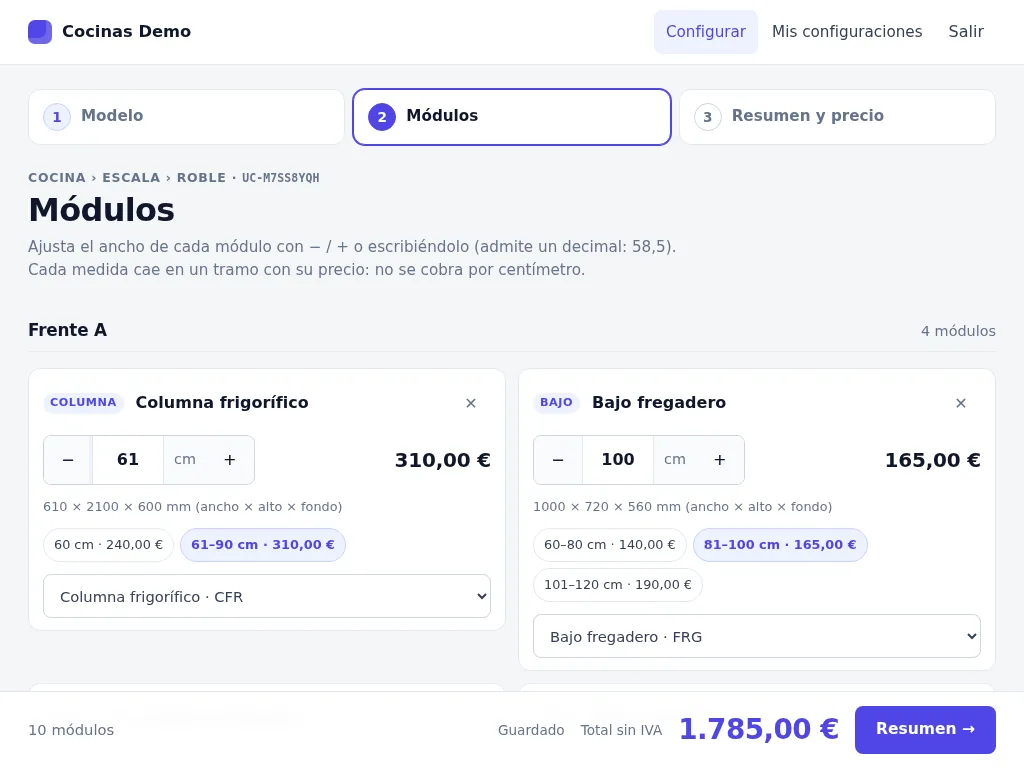
Screenshot with sample data.
Who it's for
It is for anyone who makes or sells products made up of parts with a choice of width and a price per band, and wants to give the quote in front of the customer, without waiting for the office.
Manufacturers
Models, colours and modules with their price band table by measurement, and their cutting list ready for cutting.
Shops
Your salesperson configures on the tablet with the customer present and shows them the total straight away.
Made to measure
The catalogue is a free tree, with no level limit: product, model, finish. You decide how it is organised.
Workshop
Each module includes its parts with measurements calculated by formulas, including the cutting list.
What it doesn't do yet: it doesn't include 3D view, online payment, direct ERP connection or Excel import. And it doesn't draw plans: ADRI handles that, as you'll see below.
How it works
The administrator prepares the catalogue once. After that, each configuration takes a moment, on the tablet or mobile.
The administrator loads the tree (kitchen, model, colour), the module types with their price band table, each model's default composition and its actual measurements. To test, the installer can load a sample kitchen.
A salesperson, a customer or a guest (if you allow it) chooses the model, adjusts the width of each module, removes, replaces or adds modules and sees the total excluding VAT straight away.
When accepted, the price of each line and the cutting list are saved. If the price list changes later, what has been accepted does not change. The administrator downloads the configurations in JSON and CSV.
Tablet and mobile
Large buttons, without hovering, and the total always in view in a fixed bar. It works the same on a computer.
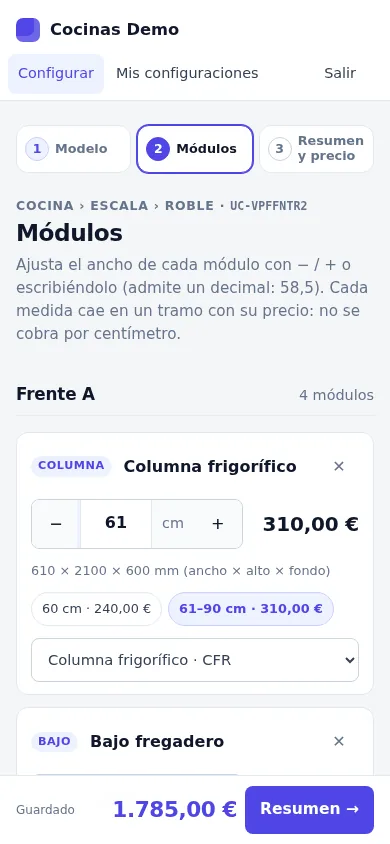
Screenshot with sample data.
Price bands
Each module type has its own table: from one size to another, a price. That is how quoting really works, and the customer understands it when they see it.
A single calculation: the price is always calculated by the server, never by the tablet. It comes out the same on the tablet, in the panel and when ADRI reads it.
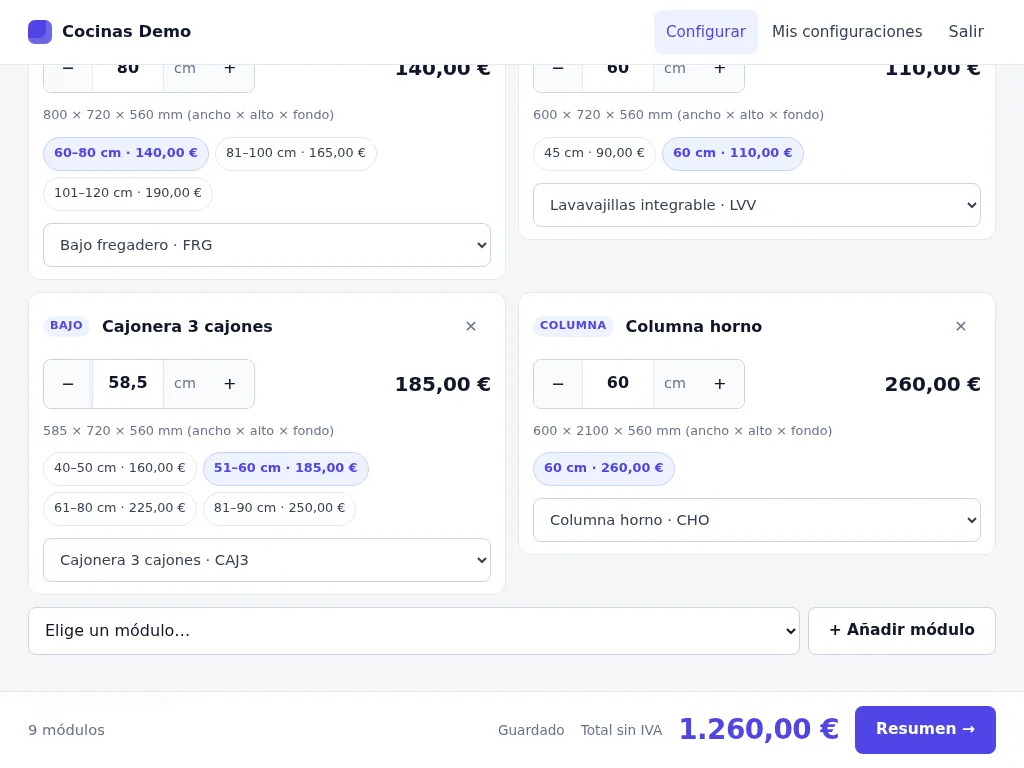
Screenshot with sample data: a 58.5 cm drawer unit.
Parts breakdown
You write once how each type of module is made up. When the width changes, the parts recalculate automatically, in millimetres.
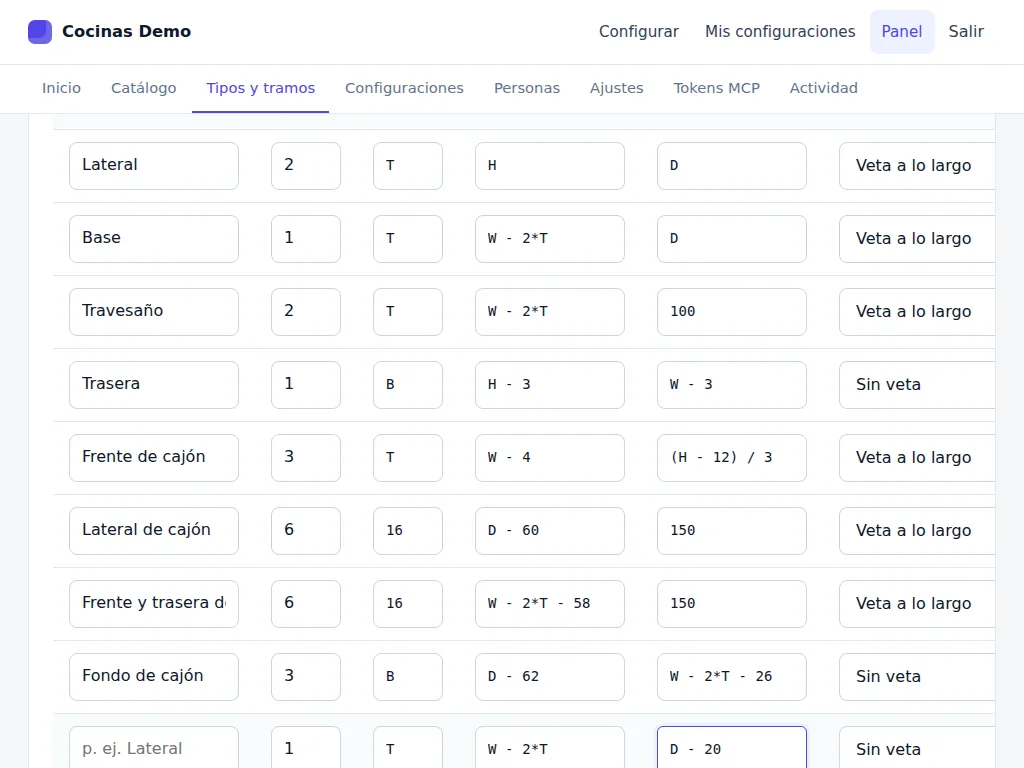
Screenshot with sample data: the parts breakdown of a module in the panel.
With ADRI
Universal Configurator comes with its own MCP. Connected to ADRI, BionicAdri's AI, or another compatible AI, it reads and changes configurations with exact measurements, and handles the heavy work outside.

ADRI
Working
Set the drawer unit to 58.5 cm and draw the module with its parts for me.
config_updateChanges the width in the draft
config_getReads the measurements in millimetres and the parts breakdown
cut_listAdds up the parts for cutting
Done. The drawer unit is now 58.5 cm, within the 51 to 60 cm range, and the total has been recalculated. I've left you the dimensioned drawing of the module and the cut list. I haven't accepted anything: that's for you to decide.
| Permission | The AI can |
|---|---|
| read | Read the catalogue, the module types with their ranges, the configurations, check a price without saving and produce the cut list. |
| write | It can also create drafts, change them (widths, remove, add, replace modules, customer data) and accept them. |
You stay in control: the token acts as the person you choose. If it is a salesperson, the AI only sees and touches that salesperson's settings. If the person is deactivated, the token stops working, and every call is recorded in the Activity log. In BionicAdri you connect it from Integrations, which is in beta.
Installation
It installs on your server and the data stays in a SQLite file that is not published. It does not need Composer, Docker or Node.
Ubuntu or Debian VPS
Download the code from GitHub and run the installer: it sets up PHP-FPM and Caddy with automatic HTTPS and creates your administrator.
sudo ./install.sh --domain=configurador.miempresa.com [email protected] --empresa="Mi empresa" --sampleAny server with PHP
Copy the folder and point the domain to public/. When you open the address, the installer checks the requirements, creates the database and your administration account. So that only someone with access to the server can install it, it asks for a single-use code that it leaves in a file.
Requirements
PHP 8.2 or higher with pdo_sqlite, mbstring, sodium and json. A web server that serves only the public/ folder, and the data/ folder with write permission. There are examples for Caddy, Nginx and Apache.
After installing, in the panel you set the public address, VAT, whether you allow customer registration or configuration without an account, and email.
Licence, no small print
Universal Configurator is published under the BionicAdri License 2.0: source code available. You can read it, install it and use it free in your business, with a few rules worth knowing.
You can
You need a written licence
The credit stays. «Made with Universal Configurator · Powered by bionicadri.com» appears in the footer, in the panel and in the installer, and cannot be removed.
No warranty or support. It is provided as is: you are responsible for your server, your backups and what you publish. For product questions, write to [email protected]. The licence is governed by Spanish law.
Frequently asked questions
Yes, for your own company: install it on your server and use it with your sales staff, your customers and your distributors, including for commercial purposes. It does not include reselling it, offering it as a service to other companies, or installing it for others for payment: for that you need a written licence from BionicAdri, which may be free.
Those made up of modules with a width you choose and a price per measurement band: kitchens, made-to-measure furniture, wardrobes, carpentry. The catalogue is a free tree (for example kitchen, model, colour), with no limit on levels.
No. Each type of module has a table of bands with a fixed price: for example, a width of 58.5 cm falls in the 51 to 60 cm band. If a measurement falls between two bands, the higher one is charged, and the line explains it. If it falls outside the module's limits, it's not valid and it says which bands there are.
It is frozen, along with the parts list. If you later change the rates or formulas, what has been accepted doesn't change. An accepted configuration can no longer be edited: it is duplicated to make changes.
No. Universal Configurator calculates the price and the parts using exact measurements. The plans are drawn by ADRI from the BionicAdri chat, or by any other AI connected via MCP, reading those measurements.
No. The panel and the tablet work on their own. The MCP connection is optional: you enable it if you want ADRI or another AI to read and change configurations, draw plans or prepare the PDF and the follow-up.
A server with PHP 8.2 or higher (with pdo_sqlite, mbstring, sodium and json) that serves only the public/ folder. On an Ubuntu or Debian VPS, a single command installs it, with automatic HTTPS. No Composer, Docker or Node required, and the data goes in an SQLite file.
It's new: it's at version 0.1.1, in its early releases. Try it with the sample data before using it with your customers. The screens are in Spanish; a text file is all you need to translate them. The licence doesn't include support: for product questions, email [email protected].
Your configurator, with AI
Download it free for your business, or tell us what you sell and we'll show you with a sample kitchen and ADRI reading its measurements.